Local-first smart-home bridging, refreshed.
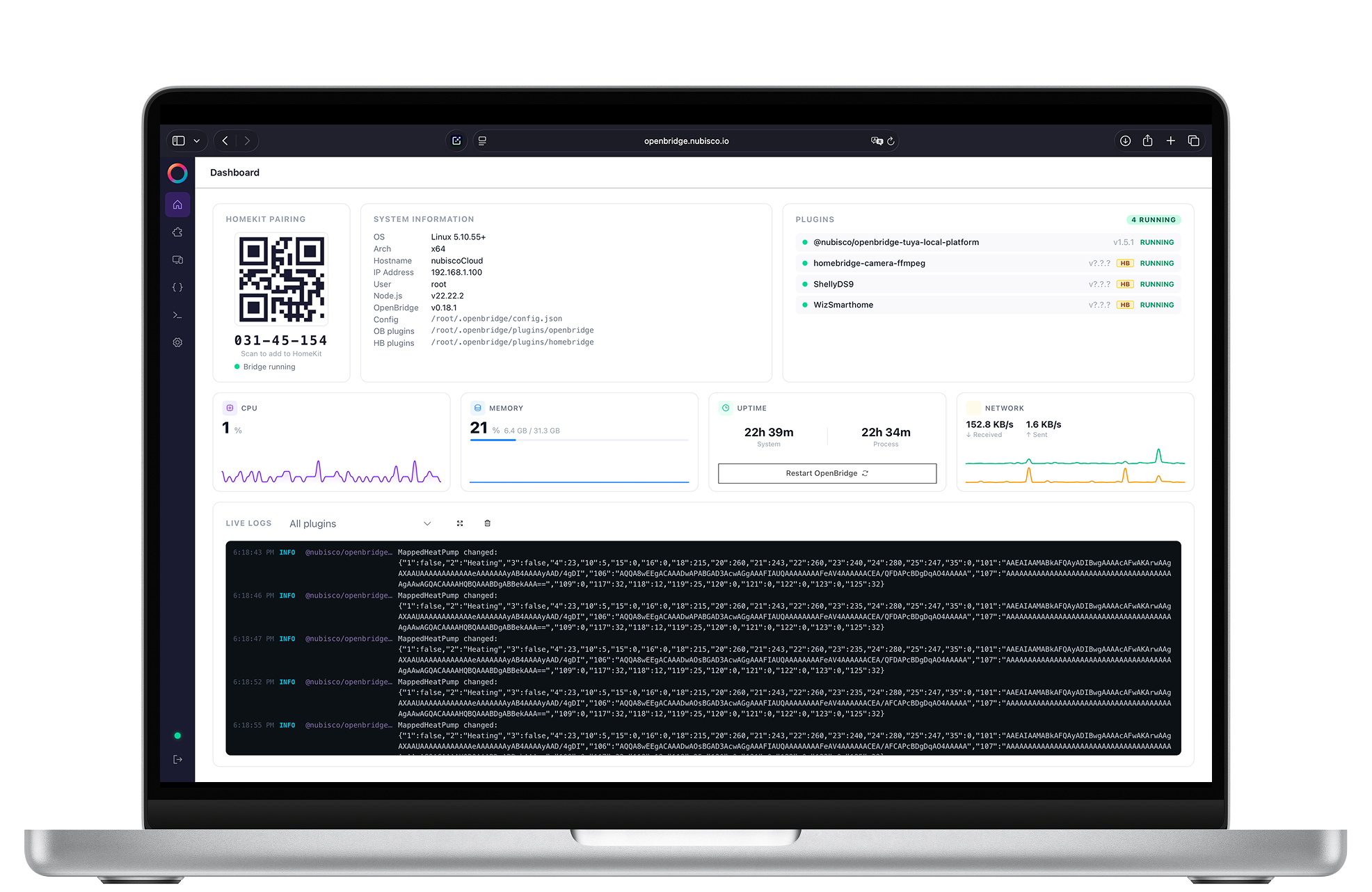
OpenBridge runs the Homebridge plugin ecosystem under a refreshed UI, a typed plugin inspector, and a Monaco-powered config editor. Bring your existing plugins, keep your HomeKit setup, gain a modern toolchain.
Why we built it
The plugins are great. The cockpit deserved better.
Homebridge changed what's possible in DIY smart homes, and its plugin ecosystem is unmatched. OpenBridge keeps that ecosystem intact and rebuilds the UI, the config editing, and the plugin authoring story around the conventions you'd expect from a 2026 developer tool.
What's different
Same plugins. Better cockpit.
Plugin-compatible
Runs Homebridge plugins as-is. No fork of the plugin API, no abandoned ecosystem.
Monaco config editor
Edit config.json with full JSON schema validation, autocomplete, and inline docs. No more YAML-anxiety in a textarea.
Plugin inspector
See accessory characteristics, live state, and event traffic per plugin. Diagnose silent failures without grepping logs.
Live log panel
Tail logs in the UI with per-plugin filters, severity coloring, and a copy-to-clipboard for issue reports.
Backup and restore
One-click backup of config, plugins, and persistence. Restore on a new machine in minutes.
Modern auth
Multi-user accounts, scoped tokens for automations, and a refreshed setup flow that doesn't bury security under defaults.
Compared to Homebridge
We wrote the long version.
If you're weighing the trade-offs, we've published a detailed side-by-side covering plugin compatibility, configuration ergonomics, observability, and migration path.
FAQ
Common questions from Homebridge users.
Will my existing plugins keep working?
Yes. OpenBridge runs the standard Homebridge plugin API. If a plugin works in Homebridge, it works in OpenBridge.
Can I migrate from Homebridge?
Yes. Point OpenBridge at your existing config and persistence directory and it starts where you left off. The detailed migration steps are in the comparison guide.
Is this affiliated with the Homebridge project?
No. OpenBridge is an independent, MIT-licensed project built by Nubisco. We're grateful for the Homebridge ecosystem and contribute upstream where it makes sense.
Where can I get help?
GitHub issues for bugs and feature requests. The README has links to the community channels.
Bring your plugins. Keep your HomeKit. Get a cockpit you'll actually enjoy.
Install OpenBridge, point it at your existing setup, and see the difference inside an evening.